
Download StitchBuddy – Free Embroidery Design Software, Easy Editing, Cross‑Platform Support
Overview – What Is StitchBuddy?
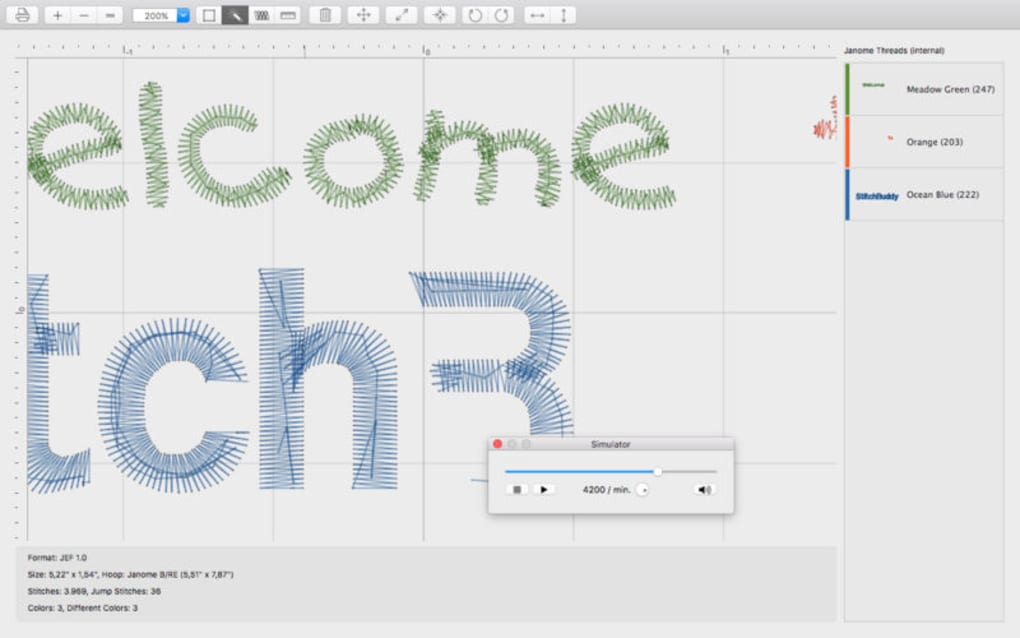
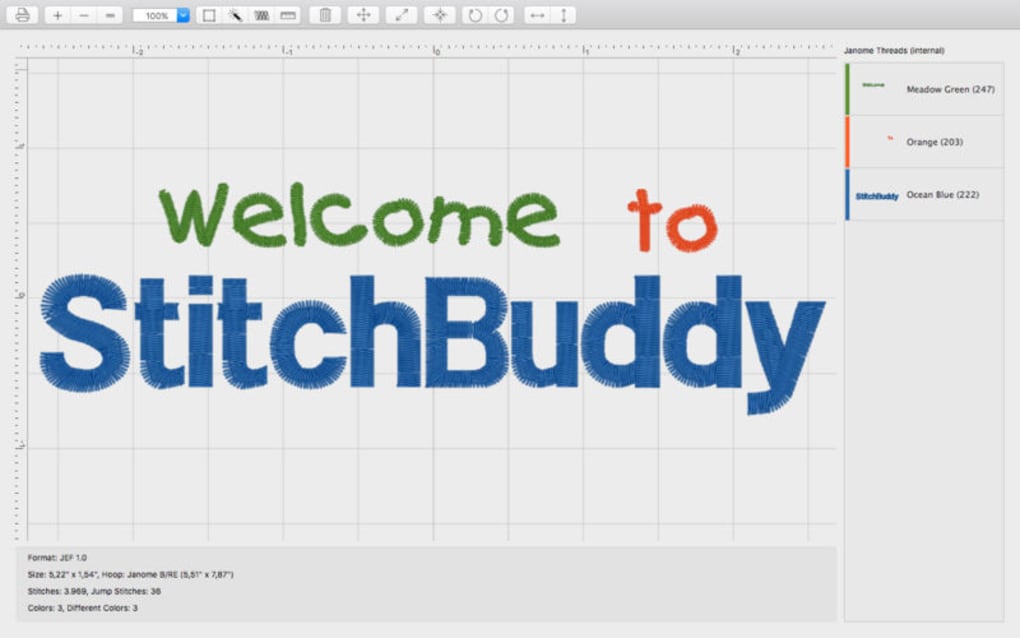
StitchBuddy is a free, user‑friendly embroidery design tool that lets hobbyists and professionals create, edit, and export stitch files without the steep learning curve or high price tag of traditional CAD software. Built with a modern interface, the app supports a wide range of machine‑compatible formats (including .pes, .dst, .exp, .jef, and .vp3) so you can seamlessly transfer your artwork to almost any commercial embroidery machine on the market. Whether you’re tweaking a pre‑made design, digitizing a hand‑drawn sketch, or building a completely new motif from scratch, StitchBuddy offers a set of intuitive tools—such as stitch density control, thread color palettes, and automatic underlay generation—that keep the creative process smooth and enjoyable.
One of the standout benefits of StitchBuddy is its cross‑platform availability. The application runs natively on Windows, macOS, Android, and iOS, meaning you can start a project on your desktop and finish it later on a tablet while you’re on the go. The cloud‑sync option (optional and secured with end‑to‑end encryption) ensures that your designs are backed up and accessible from any device, eliminating the fear of data loss. Moreover, because the software is free, there are no hidden subscription fees or licensing hassles—just a straightforward download, install, and start designing.
For beginners, the built‑in tutorial walks you through the essential steps of creating a basic monogram, while seasoned embroiderers can dive straight into the advanced settings panel to fine‑tune stitch angles, pull‑in lengths, and thread tension. The community forum integrated into the app provides a space to share patterns, request feedback, and download free design packs contributed by other users. In short, StitchBuddy is positioned as a versatile, cost‑effective solution that bridges the gap between casual crafters and commercial studios, delivering a secure, regularly updated platform for all embroidery enthusiasts.
Key Features of StitchBuddy
- Multi‑Format Compatibility: Import and export .pes, .dst, .exp, .jef, .vp3, .emb, and many other industry‑standard file types.
- Intuitive Design Canvas: Drag‑and‑drop artwork, resize, rotate, and mirror stitches with real‑time preview.
- Automatic Underlay Generation: One‑click creation of stabilizer stitches to prevent puckering on fabric.
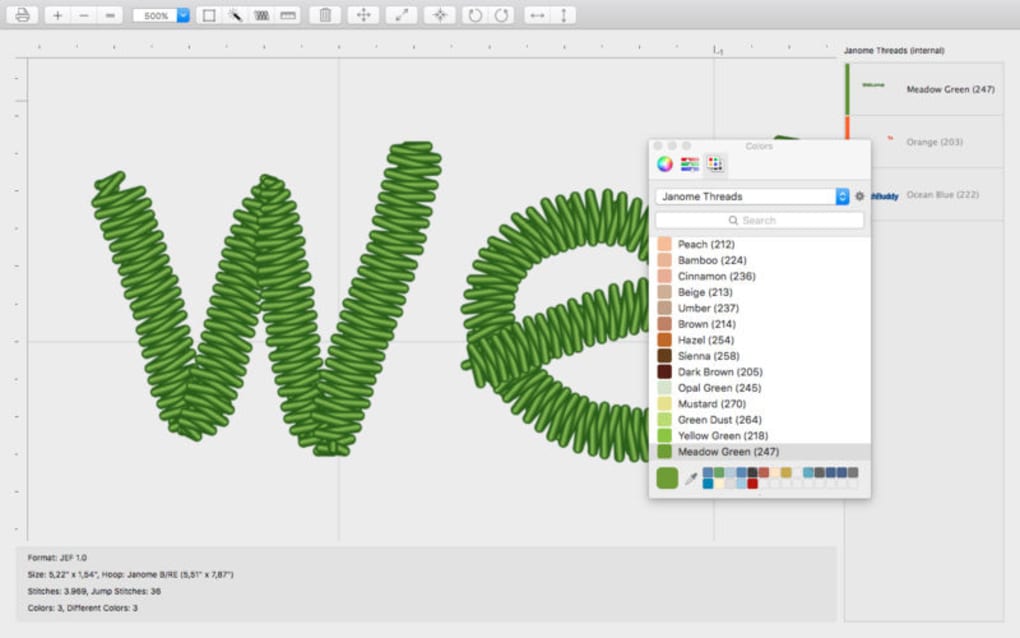
- Thread Color Management: Built‑in Pantone‑compatible palette and custom color creation.
- Stitch Density & Tension Controls: Fine‑tune stitch length, density, and pull‑in for a professional finish.
- Cloud Sync & Backup: Securely store projects in the cloud and access them from any device.
- Cross‑Platform Support: Native apps for Windows, macOS, Android, and iOS.
- Built‑in Tutorials & Help Center: Step‑by‑step guides for beginners and advanced users.
- Community Design Library: Free downloadable patterns contributed by the StitchBuddy community.
- Regular Updates & Bug Fixes: Free updates ensure compatibility with new machine firmware and OS versions.
Installation, First‑Run Setup, and How to Use StitchBuddy Effectively
Getting started with StitchBuddy is deliberately simple. Visit the official website, select the appropriate installer for your operating system, and click Download. For Windows users, the .exe installer guides you through a typical wizard—accept the license, choose an installation folder, and let the program create a desktop shortcut. macOS users receive a .dmg file; simply drag the StitchBuddy icon into the Applications folder. Mobile users can find the app on the Google Play Store or Apple App Store; the download process mirrors any standard mobile app installation.
After the first launch, you’ll be prompted to create a free account or sign in with an existing email. This account is essential for cloud sync, community access, and automatic update notifications. The onboarding wizard then asks a few preference questions: your primary machine brand, default thread colors, and whether you prefer a light or dark UI theme. These settings are saved in the cloud, so switching devices later will retain your preferences.
To start a new design, click the “Create New Project” button on the dashboard. You can import a bitmap, vector file, or even a PDF of a logo. StitchBuddy automatically traces the outlines and converts them into stitch paths, which you can edit using the toolbar on the left. The toolbar includes tools for adding text, adjusting stitch type (satin, fill, running), and inserting decorative elements such as appliqué shapes. For precise control, the “Advanced Settings” panel lets you set stitch angle, underlay density, and thread tension on a per‑object basis.
When you’re satisfied with the design, select “Export.” The export dialog presents a list of supported formats; choose the one compatible with your embroidery machine, then click “Save.” If your machine requires a specific file extension (e.g., .pes for Brother or .dst for Tajima), StitchBuddy will automatically adjust the file header accordingly. Finally, transfer the file to your machine via USB, SD card, or Wi‑Fi (if supported) and run a test stitch on a scrap piece of fabric to verify size and tension before moving to the final material.
Compatibility, Pros & Cons, FAQ, and Final Verdict
Supported Operating Systems: Windows 10/11 (64‑bit), macOS 12+ (Catalina and later), Android 8.0+ and iOS 13+. The app is optimized for both high‑resolution desktop monitors and touch‑screen tablets, ensuring a consistent experience across devices.
Pros
- Completely free with no hidden subscription fees.
- Broad file‑format support eliminates the need for multiple conversion tools.
- Cross‑platform availability means you can work anywhere, anytime.
- Intuitive UI lowers the learning curve for beginners.
- Robust community library provides a steady stream of fresh design ideas.
- Secure cloud sync protects your work and enables easy device switching.
Cons
- Advanced stitch‑editing features are powerful but may require a short adjustment period for new users.
- While the core app is free, premium thread palettes and additional cloud storage are offered as optional in‑app purchases.
- Mobile versions lack some of the fine‑grained controls found in the desktop version (e.g., precise pixel‑level editing).
Frequently Asked Questions
Is StitchBuddy truly free, or are there hidden costs?
StitchBuddy is 100 % free to download and use. All core design, editing, and export features are available without charge. Optional in‑app purchases include extra thread color packs and expanded cloud storage, but they are not required for full functionality.
Can I import designs from other embroidery software?
Yes. StitchBuddy supports a wide range of industry formats such as .pes, .dst, .jef, .exp, and .vp3, allowing you to import designs created in other applications and edit them directly within StitchBuddy.
Does StitchBuddy work with my embroidery machine’s USB stick?
Absolutely. After exporting a design in the correct file format, you can copy the file onto a USB stick, SD card, or directly transfer it via Wi‑Fi (if your machine supports it). The software also includes a “Machine Check” utility that verifies compatibility before export.
Is my data safe when using cloud sync?
StitchBuddy employs end‑to‑end encryption for all cloud transfers and stores files on secure, GDPR‑compliant servers. Your designs are only accessible with your login credentials.
Can I use StitchBuddy on a low‑spec laptop?
The minimum system requirements are modest: 2 GB RAM, 500 MB of free disk space, and a modern graphics driver. While the software runs smoothly on most devices, very old hardware may experience slower rendering of complex designs.
Final Verdict & Call to Action
StitchBuddy delivers on its promise of a free, powerful, and cross‑platform embroidery design solution. By covering the essential needs of both beginners and seasoned professionals—broad format support, intuitive editing tools, secure cloud sync, and a vibrant community—it stands out as one of the most accessible options on the market today. The occasional learning curve for advanced settings is more than offset by the wealth of tutorials and community help available directly within the app.
If you’re looking to expand your creative repertoire without investing in costly CAD software, download StitchBuddy now, start experimenting with your favorite designs, and join a worldwide network of embroidery enthusiasts. Your next masterpiece is just a few clicks away.







